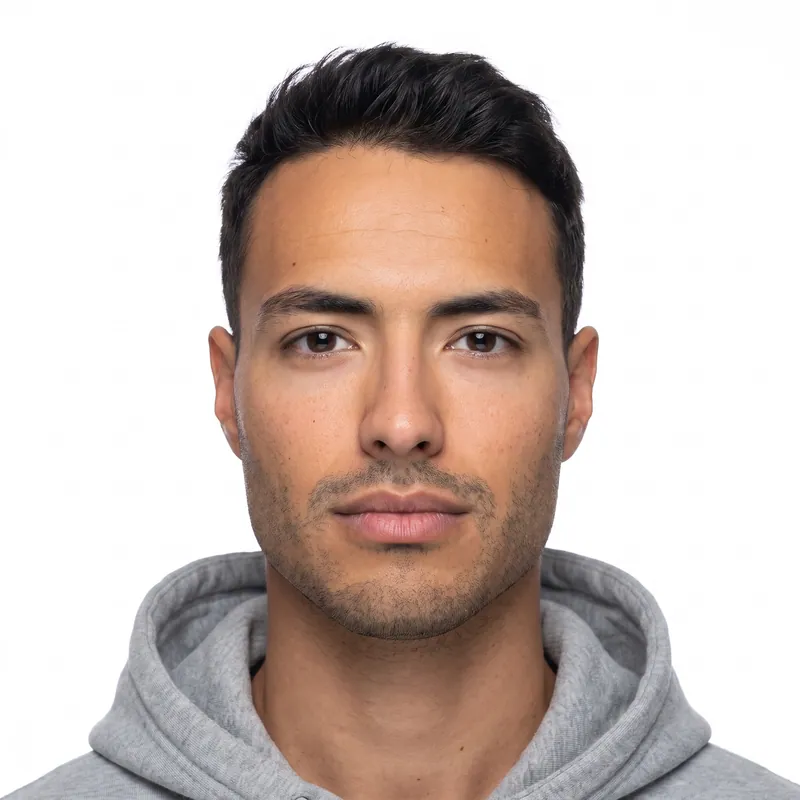
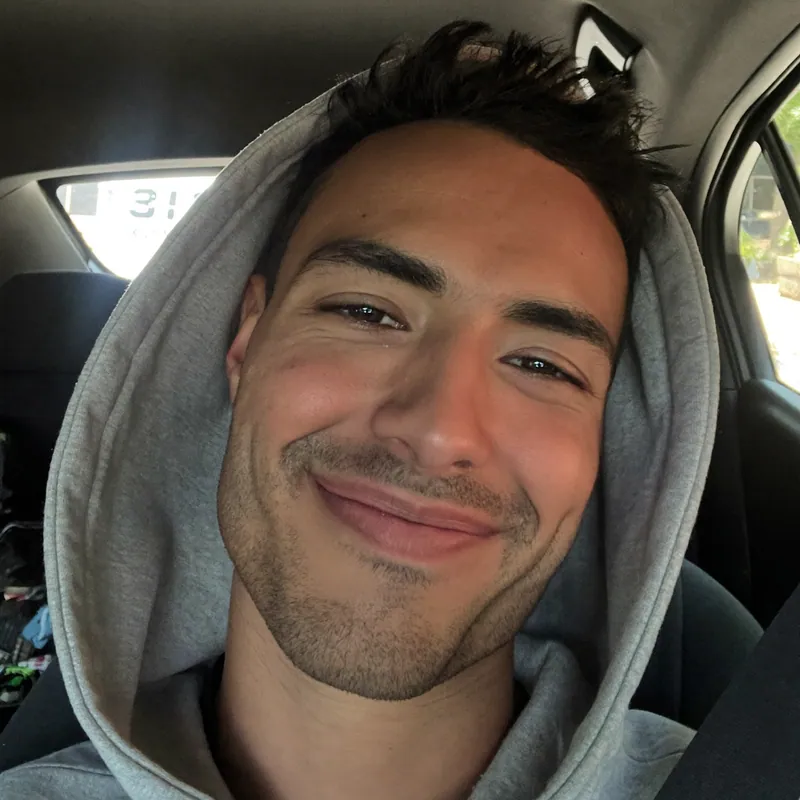
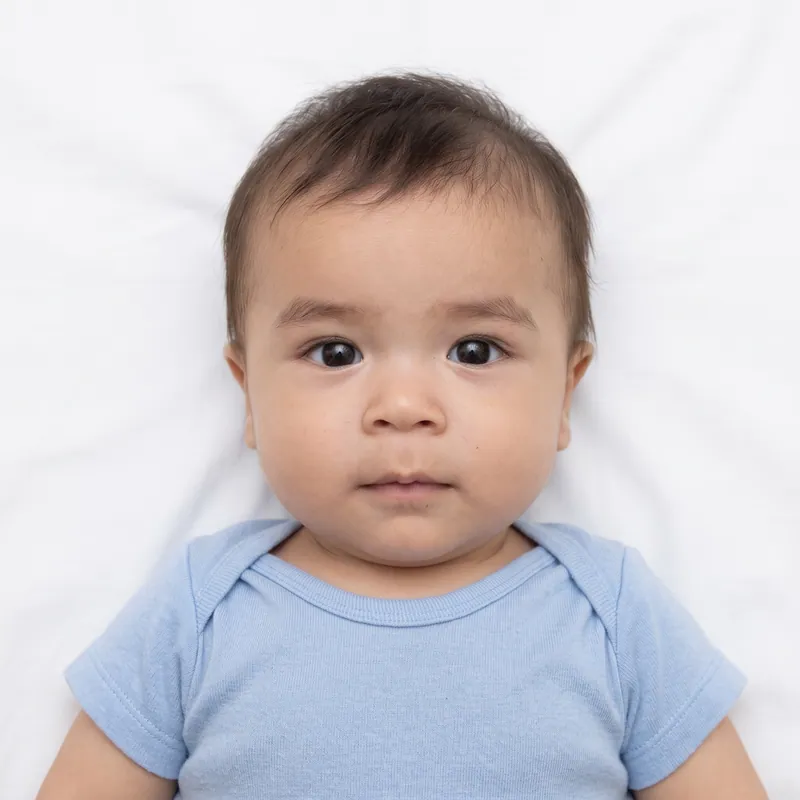
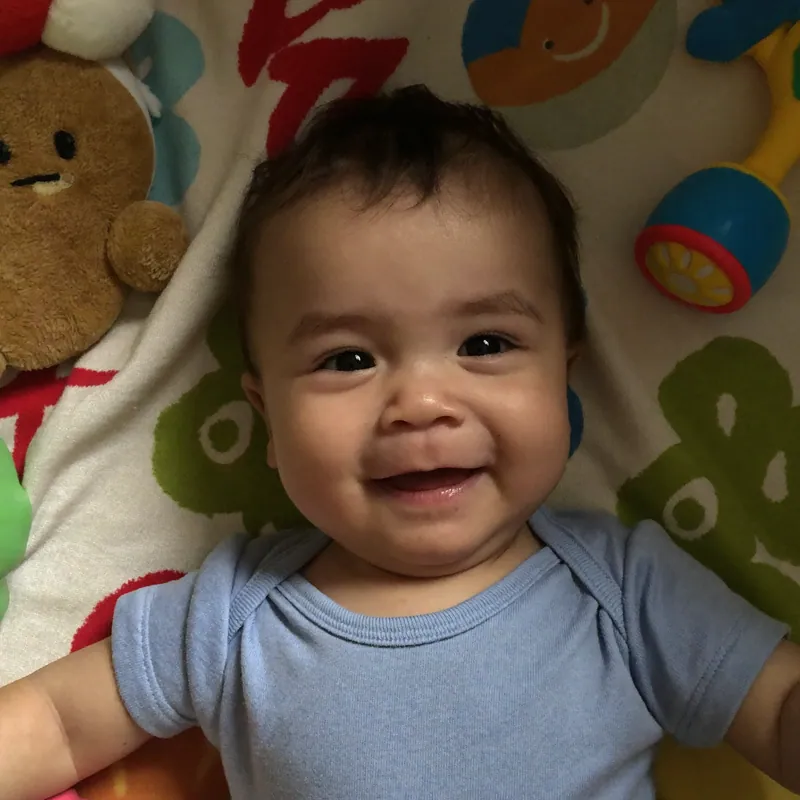
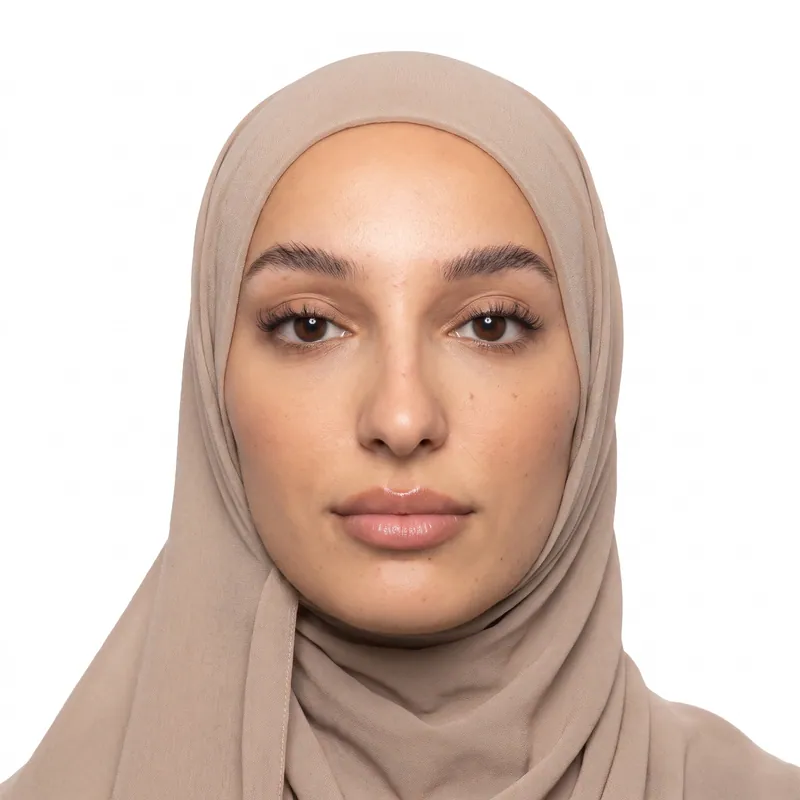
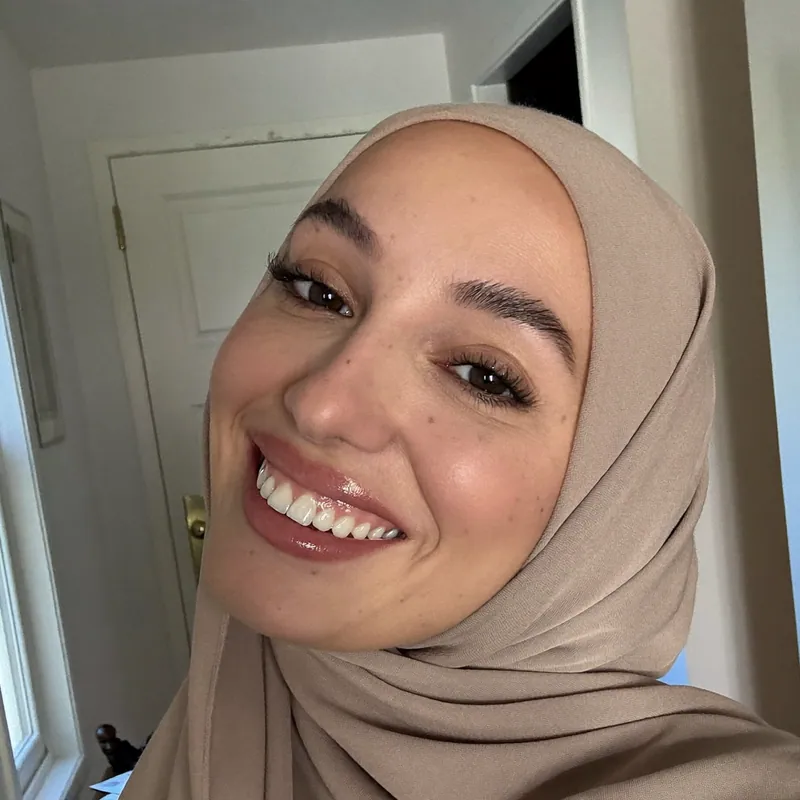
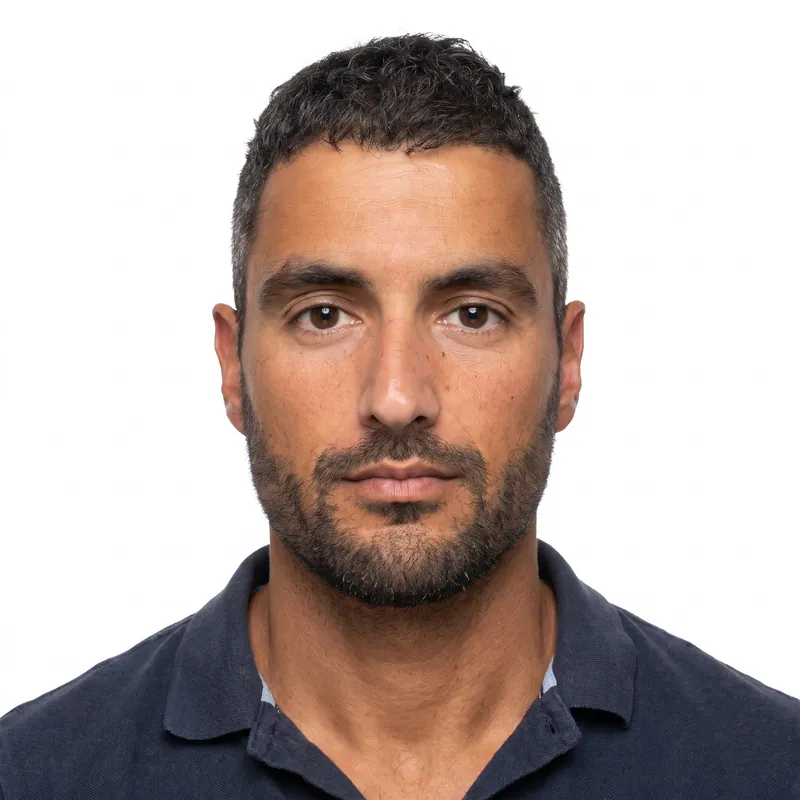
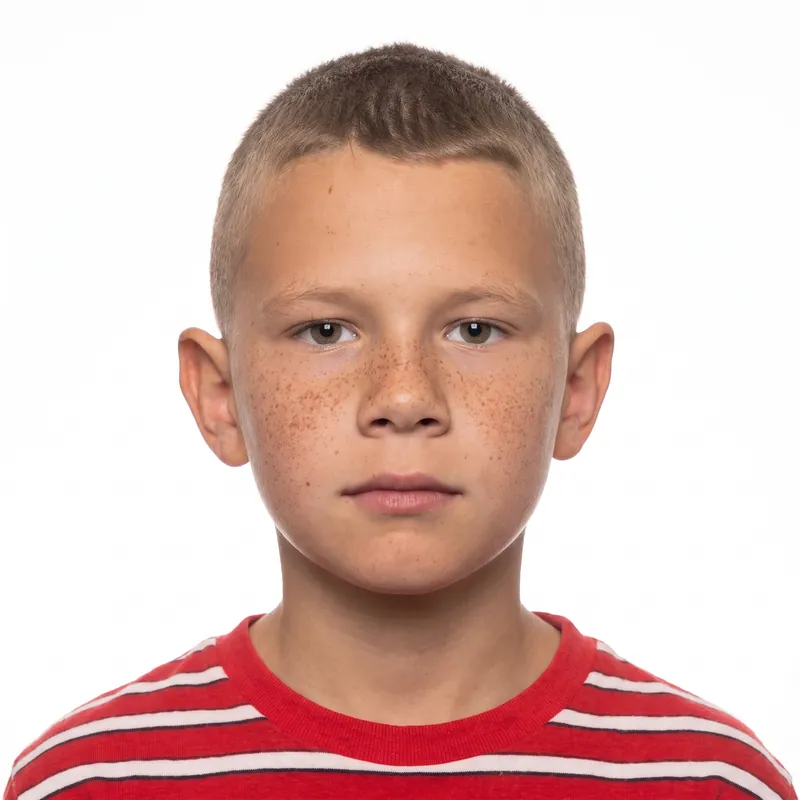
20% off applied ends in --:-- Use it now
20% off applied --:-- Use it now

US passport photo app, no install

US Passport Photo Online, Made From Your Phone Photo

A US passport photo must be 2 x 2 inches, in color, with your head 1 to 1 3/8 inches tall on a plain white or off-white background, taken within the last 6 months. PhotoForPass turns a phone photo into that exact format in about a minute: we fix the lighting, replace the background with plain white, crop to the official size and check it against the rules. From $16.95, with a 14-day money-back guarantee.

  • 14-day money-back guarantee
  • Photo stays on your device until you pay
  • Checked against official rules
Full data safety
  • U.S. Department of State
  • USCIS
  • GOV.UK
  • ICAO 9303 standard

We follow published requirements. We are not affiliated with these agencies.

How it works

How to get a US passport photo online

  1. Choose US passport

    Select US passport photo. The tool loads the U.S. Department of State size: 2 x 2 inches with a head height of 1 to 1 3/8 inches on a white background.

  2. Take or upload a photo

    Use your phone camera in daylight, facing a window, with a plain wall behind you. Take off your glasses, keep both eyes open and use a neutral expression or a natural smile.

  3. Run the free check

    The in-browser smart check reviews lighting, focus, background, head position and open eyes. Retake the photo if it flags a problem. Your photo stays on your device.

  4. Pay and download

    Pay once with Apple Pay, Google Pay, a card or Link. In 30 to 60 seconds you get the edited digital JPG and, with Photo + print, a 4x6 print sheet as JPG and PDF.

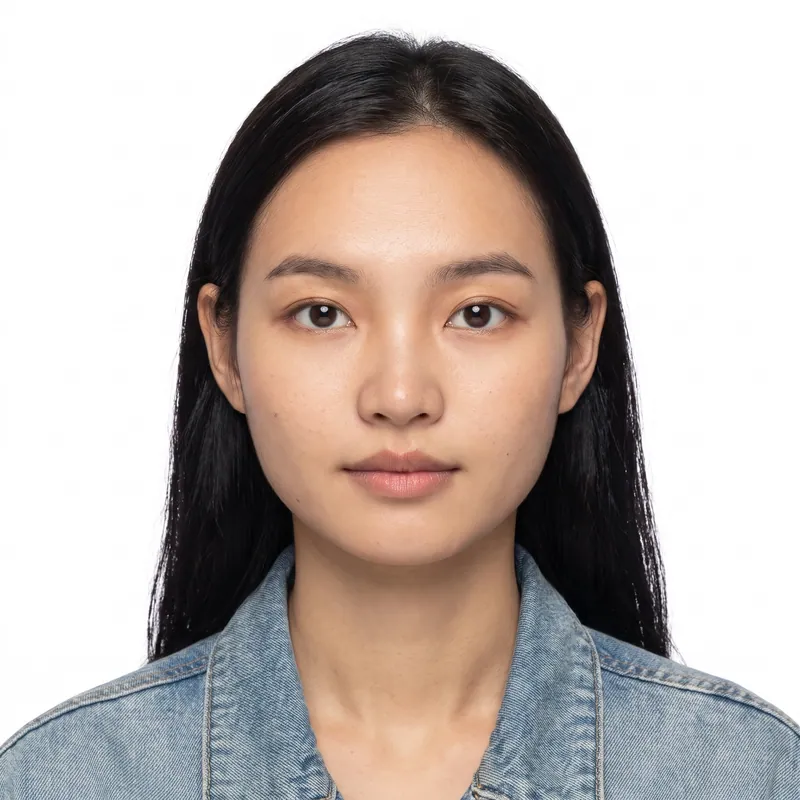
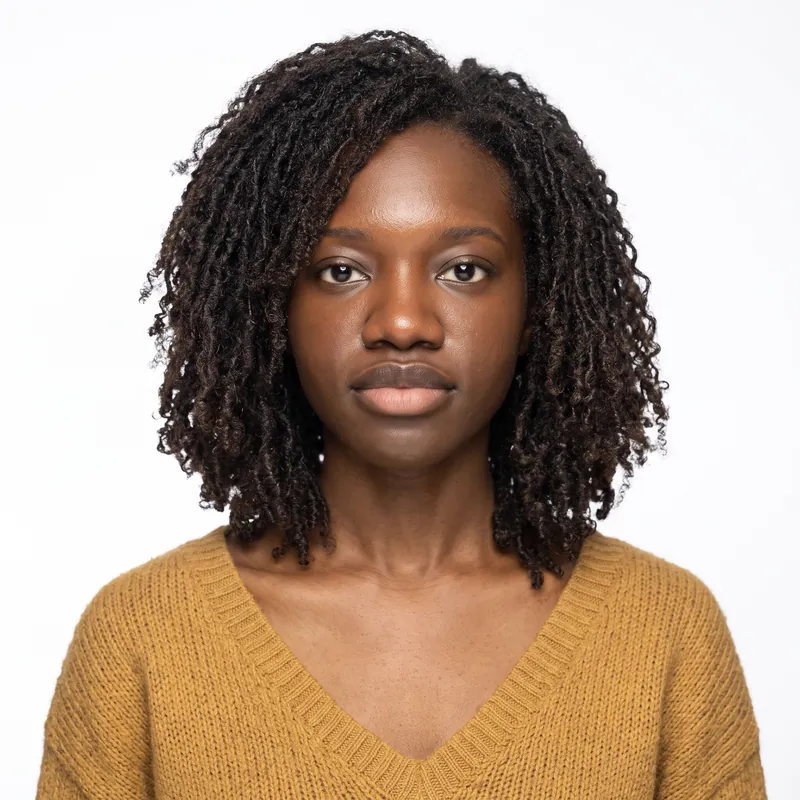
After: woman with shoulder-length locs in a mustard sweater
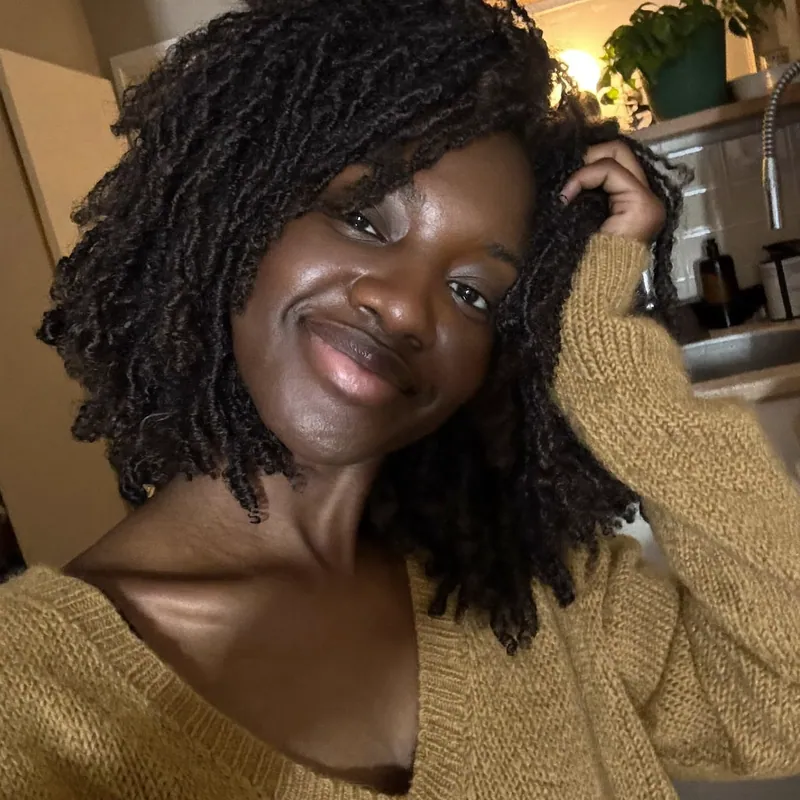
Before: woman with shoulder-length locs in a mustard sweater

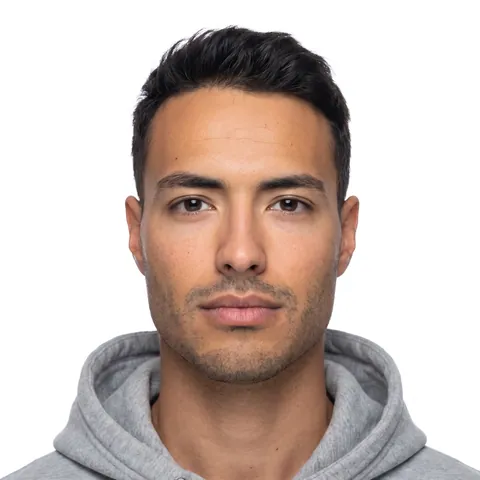
Before and after

From kitchen selfie to compliant photo

Drag the handle to compare. Every change follows the published rules for your document.

  • Face centered and straight
  • Head sized to the rules
  • Background replaced with white
  • Shadows softened
  • Exposure balanced
  • Cropped to the exact size

What you get

A digital file and a print sheet, ready to use

passport-photo.jpg 600 x 600 px · 300 DPI JPG

Digital photo

A high-resolution JPG at the exact pixel size your form expects. Upload it to the online renewal, DS-160 or any form that takes a file.

  • Exact official dimensions
  • 300 DPI print quality
  • Works for online applications

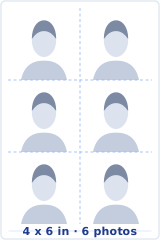
4x6 print sheet

A print-ready sheet in JPG and PDF. Print at home or order a regular 4x6 print at CVS, Walgreens or Walmart and cut along the guides.

  • Six 2 x 2 photos, borderless
  • Cut guides included
  • Prints as a regular 4x6 photo

The rules, measured

Built to the exact U.S. Passport Book Photo spec

Every photo is measured against the published requirements before you pay.

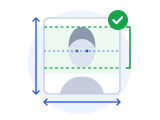
Measured diagram of a 2 in x 2 in photo The head, measured from chin to crown, fills 1 to 1 3/8 in of the height. The eyes sit 1 1/8 to 1 3/8 in from the bottom edge. Head height 1 to 1 3/8 in Eye line 1 1/8 to 1 3/8 in 2 in · 50.8 mm 2 in · 50.8 mm
Photo size
2 x 2 in (50.8 x 50.8 mm)
Head heightchin to top of head
1 to 1 3/8 in (25.4 to 34.9 mm)
Eye linefrom the bottom edge
1 1/8 to 1 3/8 in (28.6 to 34.9 mm)
Background
Plain white or off-white, no shadows, texture or objects.
Glasses
Not allowed.
Expression
Neutral or a natural, unexaggerated smile.
Taken
Taken within the last 6 months.
Digital file
JPG, PNG, HEIC · 54 KB to 10 MB
Rules last checked Nov 8, 2026 Official source (opens in a new tab)

At a glance

Photo size
2 x 2 inches (51 x 51 mm)
Head height
1 to 1 3/8 inches, chin to top of head, hair included
Eye line
1 1/8 to 1 3/8 inches from the bottom of the photo
Background
Plain white or off-white, no shadows or texture
Recency
Color photo taken within the last 6 months
Online renewal file
JPG, JPEG, PNG, HEIC or HEIF, 54 KB to 10 MB
Glasses
Off, unless a signed doctor's statement says otherwise
Price and speed
From $16.95, ready 30 to 60 seconds after payment

Key takeaways

  • Use any phone, tablet or computer camera. There is no app to install and no account to create.
  • The smart photo check is free and runs in your browser, so your photo stays on your device until you pay.
  • We adjust lighting, background and framing only. Your face, features and expression stay exactly as they are.
  • You get a digital JPG for online renewal, plus a print-ready 4x6 sheet with the Photo + print package.
  • Every order includes up to 5 photo checks, 3 free redos per person and a 14-day money-back guarantee.

Compare

Why people skip the photo counter

Store prices and policies vary by location. This is what to expect in general.

PhotoForPass compared with a drugstore photo counter and other photo apps
Feature PhotoForPass Drugstore counter Other apps
Done from home in about a minute Yes No Trip and wait in line Yes
Checked against the rules for your document Yes Varies Depends on staff Varies
Digital file for online renewal Yes Varies Often prints only Yes
Print-ready 4x6 sheet Yes Yes Varies
Photo stays on your device until you pay Yes No Varies
3 free redos per person Yes No Retake means another visit Varies
14-day money-back guarantee Yes No Varies

Pricing

Simple prices, no subscription

Pay once, only when you like the result. Every package includes up to 5 photo checks and 3 free redos per person.

  • Digital photo

    For online forms only

    $16.95

    One-time payment, no subscription

    • Official-size digital JPG
    • Ready for online applications
    • Up to 5 checks, 3 free redos
    Choose Digital photo
  • Family pack, 2 people

    Two people, one order

    $29.95

    Save $7.95 $37.90 if bought separately

    • Photo + print sheet for 2 people
    • Each person checked separately
    • One checkout
    Choose Family pack
  • Best value

    Family pack, 3 people

    Three people, one order

    $39.95

    Save $16.90 $56.85 if bought separately

    • Photo + print sheet for 3 people
    • Each person checked separately
    • One checkout
    Choose Family pack
14-day money-back guarantee 3 free redos per person Apple Pay, Google Pay and cards Full data safety

Prices in US$. One-time payment with Apple Pay, Google Pay, cards or Link.

  • Apple Pay
  • Google Pay
  • Visa
  • Mastercard
  • American Express
  • Link by Stripe

Payments processed by Stripe

  • CVS
  • Walgreens
  • Walmart
  • Costco
  • At home

Full data safety

Your photo is safe with us, start to finish

A passport photo is personal. Here is exactly how we protect it.

  • Your photo stays on your device until you order

    Checks and the preview run in your browser. Nothing is uploaded before you pay.

  • Encrypted in transit and at rest

    After you order, your photo travels over a secure connection and is stored encrypted.

  • Automatically deleted after 90 days, or anytime you choose

    Remove it yourself from My photos whenever you like. We never keep it longer.

  • Never sold, never shared for advertising

    We use your photo only to make your document photo and send it to you.

Read our privacy policy

How to get a passport photo online in about a minute

Getting a passport photo online takes three short steps: take a photo, let the free check confirm it is usable, then pay and download. Most people finish in under two minutes, and the editing itself takes about 30 to 60 seconds.

1. Take or upload a photo

Stand facing a window in daylight with a plain wall a few feet behind you. Ask someone to take the photo at eye level, or prop your phone up and use the timer. Arm's length selfies often tilt the head and make the face look wider, so a helper or a timer gives better results.

2. Run the free smart check

The check runs inside your browser. It looks at lighting, focus, background, head position and whether both eyes are open. If something is off, you see what to fix and can retake the photo right away. You get up to 5 photo checks per person.

3. Pay once and download

After a one-time payment, we replace the background with plain white, even out the lighting and crop the photo to 2 x 2 inches with your head at the right size. You download a digital JPG, and with the Photo + print package also a 4x6 print sheet as JPG and PDF.

Not happy with the result? Ask for a redo (3 free redos per person), or for a refund within 14 days.

US passport photo rules every photo is built to meet

The U.S. Department of State uses the same photo rules for the passport book and the passport card. The table lists the rules that matter most, and every PhotoForPass passport photo is cropped and sized to match the measurable ones.

Two details trip people up most often. Head height is measured from the bottom of the chin to the top of the head, hair included, not to the hairline. And the background must be evenly white or off-white, so a light gray wall with a shadow behind your shoulders does not pass. Our editing handles both: we crop to the right head size and replace the background.

For every rule with examples, including hair, head coverings and clothing, read our passport photo requirements guide. Final acceptance is always up to the U.S. Department of State.

US passport photo requirements (U.S. Department of State, 8 FAM 402.1)
RuleRequirement
Size2 x 2 inches (51 x 51 mm)
Head height1 to 1 3/8 inches (25 to 35 mm), bottom of chin to top of head, hair included
Eye position1 1/8 to 1 3/8 inches from the bottom of the photo
BackgroundPlain white or off-white, no shadows, texture or objects
Color and ageColor photo taken within the last 6 months
ExpressionNeutral or a natural, unexaggerated smile, both eyes open, facing the camera
GlassesNot allowed, unless a signed doctor's statement says they cannot be removed
Head coveringsOnly if worn daily for religious or medical reasons, with a signed statement and the full face visible
ClothingEveryday clothes. No uniforms, camouflage, headphones or wireless devices
EditingNo filters, beauty apps or retouching

Digital passport photo or printed 2x2: which do you need?

The format you need depends on how you apply. If you renew online, you upload a digital file. If you apply in person with Form DS-11 or renew by mail with Form DS-82, you need a printed 2x2 photo.

Online renewal

The State Department's online renewal system accepts JPG, JPEG, PNG, HEIC and HEIF files from 54 KB to 10 MB. It lists no pixel minimum, so we deliver a sharp square JPG that sits comfortably inside those limits. Upload the file straight from your downloads and do not text it to yourself first, because messaging apps compress photos. Our online passport renewal photo page covers the details.

DS-11 and DS-82 applications

Paper applications need a printed photo on matte or glossy photo paper. The Photo + print package includes a 4x6 sheet as JPG and PDF. Print it at a CVS, Walgreens or Walmart photo counter, or at home on photo paper. Printed borderless, the sheet holds 6 photos; with cut guides, it holds 2. Our printing guide walks through each option.

Children under 16

Children under 16 must apply in person with Form DS-11 and a printed photo. They cannot renew online, so choose a package with the print sheet. See the baby passport photo page for infant tips.

Expert-grade editing that keeps your face as it is

We edit your photo the way a careful professional would: background, lighting and framing, nothing else. The State Department says not to alter passport photos with software or filters and does not accept retouched photos, so your face stays exactly as the camera captured it.

  • What we adjust: a busy or gray background becomes plain white, uneven light and harsh shadows are softened, and the photo is straightened, cropped and scaled so your head is 1 to 1 3/8 inches tall.
  • What we never touch: your face shape, skin, eyes, hair, expression and the features that make you look like you. No beauty filters, no skin smoothing.

When your photo is ready, compare it with your original. It should look like a true, current likeness of you. If anything looks off, ask for a redo (3 free redos per person), or for a refund. Final acceptance is up to the issuing agency, and if it rejects your PhotoForPass photo, you get a full refund.

Why passport photos get rejected, and how the check helps

Most rejected passport photos fail for a handful of avoidable reasons. The free check catches common ones before you pay, and our editing fixes the ones a phone camera cannot.

  • Shadows on the face or behind the head. Fix: face a window, avoid overhead lights and step away from the wall. We clean up the background.
  • Wrong head size. A head that looks too small or too large is a common problem with home photos. Fix: our crop sets the head to 1 to 1 3/8 inches.
  • Glasses. They are not allowed without a doctor's statement. Fix: take them off before the photo.
  • An old photo. The photo must be taken in the last 6 months and show how you look now.
  • Filters and edits. Beauty modes, portrait blur and retouching are not allowed. Fix: turn off portrait mode and filters on your phone.
  • Blur or darkness. Fix: use daylight, hold the phone steady or use the timer.

The check gives an estimate, not a guarantee. See the full list in our passport photo rejection guide.

A passport photo app that runs in your browser

You do not need to download a passport photo app. PhotoForPass works in Safari, Chrome and other modern browsers on iPhone, Android, tablets and computers, so there is nothing to install and no account to create.

Running in the browser has two practical benefits. First, your photo stays on your device during the check, because the check runs locally. Second, you can switch devices: take the photo on your cell phone, then open the link in your order email on a laptop to print. If you want to keep your photos in one place, create an optional account and find them later in My photos.

Comparing tools? Our passport photo app guide explains what to look for.

Passport photo prices compared with a store visit

A PhotoForPass passport photo costs $16.95 for the digital file or $18.95 with a print-ready 4x6 sheet. That is close to a drugstore photo, without the trip, the wait or a second visit if the photo turns out wrong.

With the print sheet, you still pay the store or your own printer for one 4x6 print. Family packs cover 2 people for $29.95 or 3 people for $39.95. Store prices below were checked on November 8, 2026, vary by location and exclude tax. See pricing for sources and every package.

PhotoForPass vs store passport photos (prices checked November 8, 2026)
OptionPriceDigital fileTrip needed
PhotoForPass Digital$16.95IncludedNo
PhotoForPass Photo + print sheet$18.95 plus one 4x6 printIncludedOnly to print, or print at home
Walgreens$16.99 for 2 printed photosEmailed copy includedYes
CVSAround $17.99 for 2 printed photosAround $3.99 extra at select storesYes
USPS (select Post Offices)$15.00 photo feeOffered at some locationsYes

Full data safety: your photo is private from start to finish

Your photo is handled with full data safety at every step: it stays on your device until you order, it is encrypted once you do, and it is deleted on a fixed schedule.

  • Stays on your device until you order. The smart check and the preview run inside your browser, so nothing is uploaded while you test your shots.
  • Encrypted in transit and at rest. After you order, your photo travels over an encrypted connection and is stored encrypted in private storage.
  • Deleted automatically after 90 days. You can also delete it anytime from My photos, or with the link in your order email.
  • Never sold or shared for advertising. Your photo is used only to make the photo you ordered, and never to identify you.
  • Card details stay with Stripe. Payments are handled by Stripe, so we never see your full card number.

PhotoForPass is an independent service. It is not affiliated with the U.S. Department of State or any other government agency.

More photo types: visa, green card, baby and more

The same tool makes photos for other US documents and for many countries, each sized to its own official rules.

Some documents do not accept a photo you bring. REAL ID, Global Entry and TWIC photos are taken in person, and Canada requires a commercial photographer. For those, we explain the rules instead of selling a photo.
FAQ

Frequently asked questions

How much does a passport photo online cost at PhotoForPass?

A PhotoForPass passport photo costs $16.95 for the digital file, or $18.95 for the digital file plus a print-ready 4x6 sheet. Family packs cost $29.95 for 2 people and $39.95 for 3 people, each with the print sheet. It is a one-time payment, not a subscription. The photo check before you pay is free, and every order includes up to 5 photo checks, 3 free redos per person and a 14-day money-back guarantee.

Will my online passport photo be accepted?

PhotoForPass photos are built to meet the official U.S. Department of State requirements: 2 x 2 inches, a head height of 1 to 1 3/8 inches and a plain white or off-white background. The check flags common problems before you pay. No private service can promise acceptance, because the final decision belongs to the State Department. If your photo is rejected, you get a full refund. Start with a recent, sharp photo without glasses that shows your natural look.

Is PhotoForPass legit?

PhotoForPass is an independent online photo service, not a government agency. Every spec we use comes from official sources such as the U.S. Department of State, and we cite those sources on our pages. Payments run through Stripe, your photo stays on your device until you pay, and every order has a 14-day money-back guarantee plus a full refund if an agency rejects the photo. You can try the photo check for free before deciding.

Will my photo still look like me?

Yes. We keep your face exactly as it is in your photo and only replace the background, balance the lighting and crop to the official size. Your face shape, skin, eyes, hair and expression are not changed, and we never apply beauty filters or smoothing, because the State Department does not accept retouched photos. Compare the finished photo with your original. If it does not look like a true likeness, ask for a redo or a refund.

Can I take a passport photo with my phone?

Yes. Any recent iPhone or Android camera is good enough for a passport photo. Turn off portrait mode and beauty filters, face a window in daylight and ask someone to take the photo at eye level from a few feet away, or use a timer. A plain wall behind you helps, but it does not need to be perfectly white, because we replace the background. Keep your head straight and both eyes open.

Can I take my passport photo without anyone to help?

Yes. Prop your phone on a shelf, a stack of books or a tripod at eye level, about an arm's length or more away, and use the camera timer or a voice shutter. Stand facing a window with a plain wall a few feet behind you. The free check shows whether your head is centered and straight, so you can adjust and retake until it passes. Avoid close arm's length selfies when you can.

Can I wear glasses in a passport photo?

No. US passport photos must be taken without glasses. The only exception is when glasses cannot be removed for a medical reason, and then you need a signed statement from your doctor with your application. Take your glasses off before you take the photo, because we do not remove them in editing. Give your eyes a moment to relax so frame marks on your nose are less visible. Our glasses guide covers the medical exception.

Can I smile in my passport photo?

A natural, unexaggerated smile is allowed in a US passport photo under State Department guidance, and a neutral expression is always safe. Avoid a wide grin that squints your eyes or a playful face, because both eyes must be open and clearly visible. Relax your mouth, keep your head level and look straight into the camera lens rather than at the screen. Our smile guide shows examples of what counts as natural.

What background does a US passport photo need?

A US passport photo needs a plain white or off-white background with no shadows, texture, patterns or objects. You do not need a white wall at home. Stand in front of any plain, uncluttered wall, and after you pay PhotoForPass replaces the background with clean white. Stand a few feet away from the wall rather than against it, because standing close casts a shadow around your head and shoulders.

How should I wear my hair for a passport photo?

Wear your hair the way you usually do, but keep it away from your eyes and face so your full face is visible. Long hair can rest over your shoulders or behind them. Remember that head height in a US passport photo is measured to the top of your head, hair included, so very high styles take up more of the frame. Our crop accounts for this and keeps your head within 1 to 1 3/8 inches.

What should I wear for a passport photo?

Wear everyday clothes in a medium or dark color so your shoulders stand out against the white background. Uniforms, clothing that looks like a uniform and camouflage are not allowed in a US passport photo. Remove headphones, earbuds and hats. Head coverings are allowed only if you wear them daily for religious or medical reasons, with a signed statement and your full face visible.

What lighting works best for a passport photo at home?

Soft daylight from a window in front of you works best, because it lights both sides of your face evenly. Do not stand with a window behind you, and avoid a single ceiling light that casts shadows under your eyes. Turn off the flash if it causes glare. We even out mild lighting problems when we edit your photo, but a very dark or blurry photo should be retaken in better light.

How recent does a passport photo need to be?

A US passport photo must be taken within the last 6 months and show how you look today. If your appearance has changed a lot, for example a new beard, a big change in weight or facial surgery, take a new photo even if your last one is recent. With PhotoForPass you can take a fresh photo at home today and have a file ready about a minute after payment.

Can I make a passport photo for my baby or child?

Yes. Parents can take and upload a photo of their child. For a baby, lay the child on a plain white sheet or use a car seat covered with a white blanket, and make sure no hands or other people are visible. Newborns may have their eyes partly or fully closed. Children under 16 apply in person with Form DS-11 and a printed photo, so choose the Photo + print package.

How many passport photos do I need?

A US passport application on Form DS-11 or DS-82 needs one printed 2x2 photo, and online renewal needs one digital photo. USCIS forms, such as the green card application, usually ask for two identical printed photos. The PhotoForPass 4x6 sheet holds 6 photos when printed borderless, so one sheet covers most applications with spares, and the digital file covers online forms.

Does the digital photo work for online passport renewal?

Yes. For online renewal, the State Department accepts a digital photo in JPG, JPEG, PNG, HEIC or HEIF format between 54 KB and 10 MB. The PhotoForPass digital file is a square JPG in 2 x 2 proportions that fits those limits. Upload it directly from your downloads folder. Do not send it to yourself by text message first, because messaging apps compress images and lower their quality.

What size is a passport photo in pixels?

A printed US passport photo is 2 x 2 inches, which equals 600 x 600 pixels at 300 dpi. For online renewal, the State Department sets file limits of 54 KB to 10 MB but no pixel minimum. The DS-160 visa form is stricter: a square JPEG from 600 x 600 to 1200 x 1200 pixels, no larger than 240 KB. PhotoForPass exports the right size for the document you choose.

Can I use PhotoForPass for a DS-160 US visa photo?

Yes. Choose US visa in the tool. The DS-160 needs a square digital JPEG between 600 x 600 and 1200 x 1200 pixels and no larger than 240 KB, with a 2 x 2 inch composition, the head filling 50 to 69 percent of the height and a white or off-white background. Glasses are not allowed. The PhotoForPass visa file is exported to fit those limits.

Can I get a green card photo from PhotoForPass?

Yes. Choose green card in the tool and order Photo + print. Green card and other USCIS forms need two identical 2 x 2 inch color photos on a white to off-white background, with the head 1 to 1 3/8 inches tall. Print the 4x6 sheet on thin glossy photo paper, cut two photos and lightly write your name and A-Number on the back in pencil or felt pen.

What file formats do I get?

The digital photo is a JPG, the format accepted by the State Department's online renewal system and by the DS-160 visa form. The Photo + print package adds a 4x6 print sheet in two formats: a JPG for photo counters and apps, and a PDF for printing at home. All files are sized to the official specification of the document you chose.

What is the 4x6 print sheet?

The 4x6 print sheet is a standard 4 x 6 inch photo with your passport photos laid out at exact size, ready to print. For US 2x2 photos, it holds 6 photos when printed borderless, or 2 photos with cut guides. You order it like any normal 4x6 print at a store or print it at home, then cut out the photos. It comes as JPG and PDF with Photo + print.

Can I print my passport photo at CVS or Walgreens?

Yes. The Photo + print package includes a print-ready 4x6 sheet as JPG and PDF. Upload the JPG to the CVS or Walgreens photo website or app, order one standard 4x6 print and pick it up in store. Choose actual size and turn off any automatic crop or fit option so the photos stay exactly 2 x 2 inches. The sheet holds 6 photos printed borderless, or 2 with cut guides.

Can I print passport photos at Walmart or at home?

Yes. At Walmart, upload the 4x6 sheet JPG to the Walmart photo website or app and order a standard 4x6 print for pickup. At home, print the PDF on 4x6 matte or glossy photo paper with scaling set to actual size or 100 percent. Plain office paper is not suitable. After printing, measure one photo with a ruler: it should be exactly 2 x 2 inches.

How do I receive my files after I pay?

Your files appear on screen as soon as editing finishes, usually 30 to 60 seconds after payment, and you can download them right away. We also email you a link to your order, so you can download the files again on another device, such as a laptop connected to a printer. If you create an optional account, your photos are also saved in My photos for 90 days.

How long does it take to get my passport photo?

Most people finish in about two minutes. Taking the photo and running the free check takes a minute or so. After payment, editing takes about 30 to 60 seconds, and your files are ready to download right away. There is no shipping and no appointment. If you need prints, add the time it takes to order a 4x6 print at a local store or print the sheet at home.

Can I get a passport photo today?

Yes. With PhotoForPass the digital file is ready about a minute after payment, any time of day, so you can renew online the same day. For printed photos, upload the 4x6 sheet to a nearby photo counter that offers in-store pickup, or print it at home right away. Check your store's pickup times in its app, because they vary by location.

What if my photo fails the check or I do not like the result?

If the free check flags a problem, retake the photo and check it again. You get up to 5 photo checks per person. After you pay, you can use your 3 free redos per person if you would like us to edit the photo again. If you are still not satisfied, ask for a refund within 14 days. Shadows, blur and a tilted head are easiest to fix with a fresh photo in better light.

What is the PhotoForPass refund policy?

Every order has a 14-day money-back guarantee, no questions asked. If you are not happy with your photo, email contact@photoforpass.com within 14 days of purchase with your order number for a full refund. If a government agency rejects your photo, you also get a full refund. Refunds go back to your original payment method through Stripe, and banks usually take 5 to 10 business days to show them.

Is my passport photo private and secure?

Yes. Before you pay, the photo check and preview run in your browser, so your photo never leaves your device. After payment it is processed securely and deleted automatically after 90 days, or sooner if you delete it from My photos. PhotoForPass never sells your photos, never uses them for anything except your order and never uses them to identify you. Stripe handles payments, so we never see your full card number.

Is my photo encrypted?

Yes. Before you order, your photo is not uploaded at all, because the check and preview run in your browser. After you order, PhotoForPass sends your photo over an encrypted connection and stores it encrypted at rest in private storage, so only your order link or your account can reach it. The photo and finished files are deleted automatically after 90 days, or sooner if you delete them from My photos.

Do you share my photo with advertisers or other companies?

No. PhotoForPass never sells your photo and never shares it for advertising. It is used only to make the photo you ordered and is never used to identify you. Payments are handled by Stripe, which receives your payment details, not your photo. Your photo and finished files are deleted automatically after 90 days, and you can delete them sooner from My photos at any time.

How does the family pack work?

The family pack covers 2 people for $29.95 or 3 people for $39.95. Each person gets a digital passport photo plus a print-ready 4x6 sheet, with their own 5 photo checks and 3 free redos. It suits couples renewing together and parents ordering for children. Compared with separate Photo + print orders at $18.95 each, you save $7.95 for 2 people and $16.90 for 3 people.

Is PhotoForPass affiliated with the government?

No. PhotoForPass is an independent online photo service. It is not affiliated with the U.S. Department of State, USCIS or any other government agency. We make photos built to meet the official requirements those agencies publish, and we cite the sources on our pages. You submit your application and photo yourself, and the issuing agency makes the final decision on acceptance.

Do I need to download an app or create an account?

No. PhotoForPass runs in the browser on any phone, tablet or computer, so there is no passport photo app to install. You also do not need an account to order: after payment, your download link arrives by email. If you want to keep your photos in one place, you can create an optional account and find them in My photos until they are deleted after 90 days.

Can I use the same photo for a US passport card?

Yes. The US passport card uses the same photo rules as the passport book: 2 x 2 inches, a head height of 1 to 1 3/8 inches, a plain white or off-white background and a photo taken within 6 months. Choose US passport or passport card in the tool and you get the same compliant 2x2 format, as a digital file or with a print-ready 4x6 sheet.

My passport photo was rejected before. Can PhotoForPass help?

Yes. Read the rejection notice first, because it usually names the problem, such as shadows, head size, glasses or an old photo. Take a new photo in daylight without glasses, run the free check and let us fix the background, lighting and crop. The new photo is built to the State Department rules, and if it is rejected again, you get a full refund.

Can I make photos for other countries' passports?

Yes, for many countries, each cropped to its own rules, such as 35 x 45 mm for a UK passport or 33 x 48 mm for a Chinese visa. Some countries do not accept photos made this way. Canada requires a commercial photographer, and the Australian Passport Office advises against apps, so we explain their rules instead of selling a photo. Check the document page before you order.
Which payment methods can I use?

You can pay with Apple Pay, Google Pay, major credit and debit cards, or Link. All payments are processed by Stripe, so PhotoForPass never sees or stores your full card number. You pay once per order, with no subscription and nothing that renews. Any sales tax that applies is shown at checkout before you confirm, and your receipt with the order number arrives by email.

Holiday studio

Make this year's holiday photos without the studio

Upload one everyday photo. Get festive portraits, a photo with Santa or a ready-to-print card in minutes.

Order by December 15 for card printing in time

Ready when you are

Get your US passport photo in about a minute

Take a photo with your phone, check it for free in your browser, and download a compliant 2x2 photo. 14-day money-back guarantee.

  • 14-day money-back guarantee
  • Photo stays on your device until you pay
  • Checked against official rules
Full data safety

Ask AI

Not sure yet? Ask your AI assistant

Get an independent answer. Each button opens the assistant with a question about PhotoForPass already typed in.

-20%
PhotoForPass

Limited-time offer

20% off any package

Apply the discount now and it is added to your order automatically at checkout. No code to copy.

Offer held for 59:00
Full data safety

The discount applies to any package at checkout.