
Deferred action
DACA Photo Requirements for Form I-821D and Form I-765
A DACA photo is a 2 x 2 inch color, passport-style print on a white to off-white background, with the head 1 to 1 3/8 inches tall. Form I-821D itself does not ask for photos. The two identical photos in a DACA package go with Form I-765, which every initial and renewal request must include. PhotoForPass turns a phone photo into a print-ready sheet in about a minute.
- 14-day money-back guarantee
- Photo stays on your device until you pay
- Checked against official rules













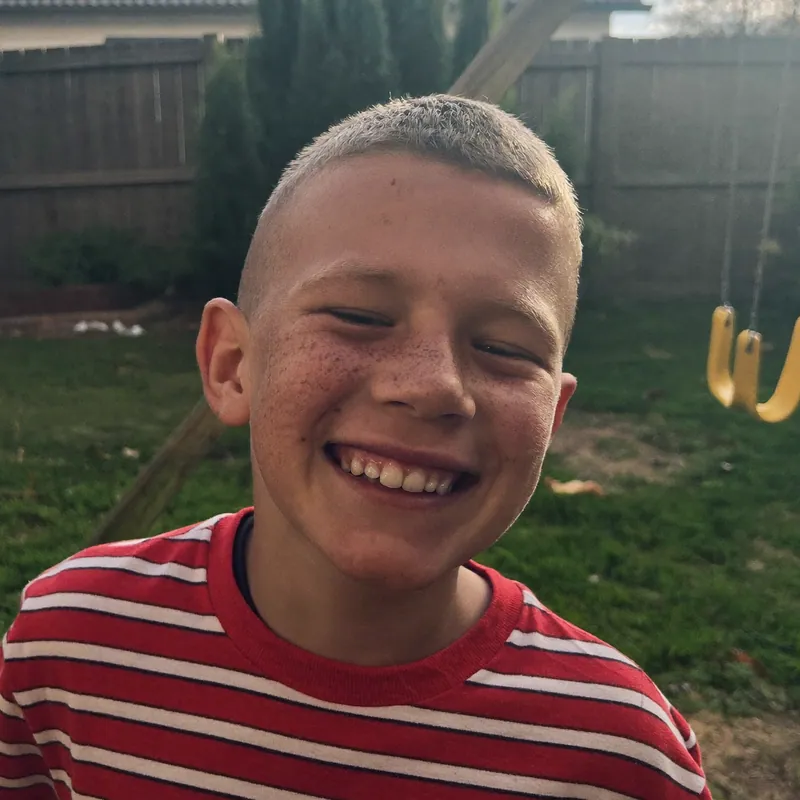


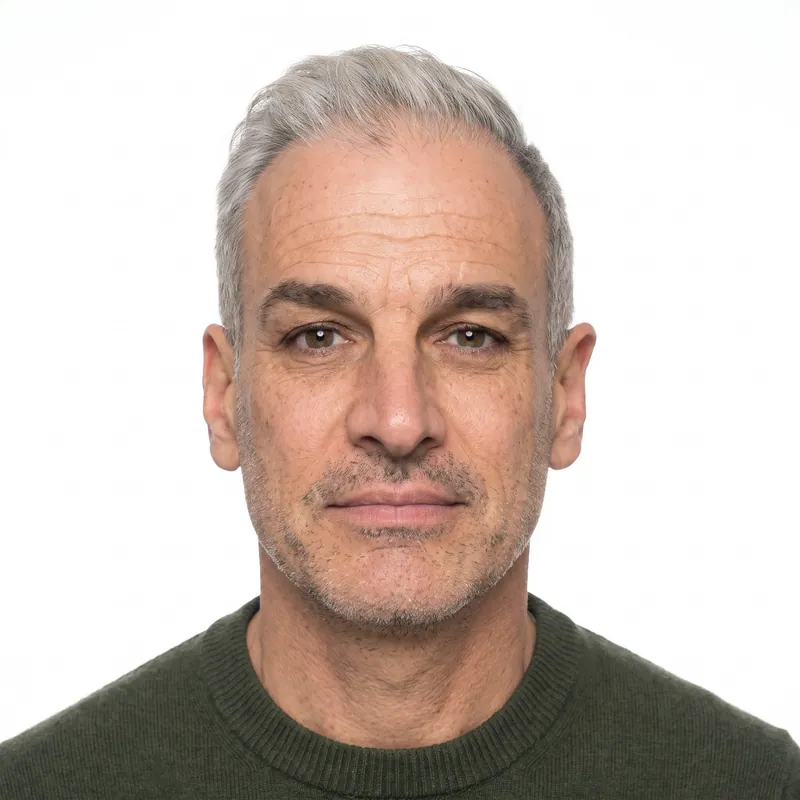

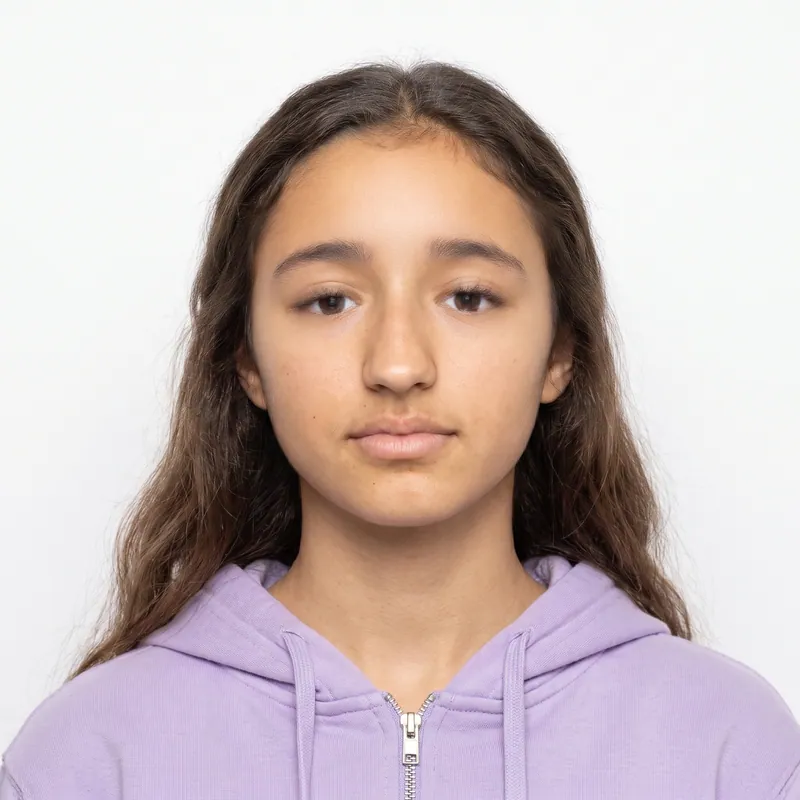

Key takeaways
- The two photos in a DACA request belong to Form I-765, filed under category (c)(33). Form I-821D lists no photos of its own.
- Initial and renewal requests both include Form I-765, so both need two identical 2 x 2 photos.
- USCIS accepts initial DACA requests but says it will not process them at this time; renewals are being processed.
- USCIS sends DACA requestors a biometrics notice, and since December 12, 2025 it does not use self-submitted photos to make documents.
At a glance
- Form I-821D
- No photos listed in the current instructions
- Form I-765, category (c)(33)
- 2 identical color passport-style photos
- Size
- 2 x 2 inches (51 x 51 mm), color
- Head height
- 1 to 1 3/8 in, top of hair to bottom of chin
- Eye line
- 1 1/8 to 1 3/8 in from the bottom of the photo
- Background
- White to off-white
- Back of photo
- Name and A-Number, lightly in pencil or felt pen
- Renewal timing
- USCIS suggests filing 120 to 150 days before your DACA expires
- Photo size
- 2 x 2 in (50.8 x 50.8 mm)
- Head heightchin to top of head
- 1 to 1 3/8 in (25.4 to 34.9 mm)
- Eye linefrom the bottom edge
- 1 1/8 to 1 3/8 in (28.6 to 34.9 mm)
- Background
- White to off-white.
- Glasses
- USCIS instructions do not mention glasses.
- Expression
- Full face, frontal view.
- Taken
- 'Taken recently' (no fixed number of days in current instructions).
Do you need photos for DACA?
Yes, but they belong to the work permit application, not to the DACA form. The current Form I-821D instructions do not ask for photos. They do require Form I-765 and Form I-765 Worksheet with every initial and renewal request, and the Form I-765 instructions ask for two identical color passport-style photos.
The I-821D instructions also say that when the same documents are required for both forms filed together, you only send them once. In practice, that means one pair of photos for the whole package, labeled and kept with your Form I-765. For the full work permit rules, see the I-765 work permit photo guide.
| Form | Photos |
|---|---|
| Form I-821D, Consideration of Deferred Action for Childhood Arrivals | None listed in the current instructions |
| Form I-765, Application for Employment Authorization, category (c)(33) | 2 identical color photos |
| Form I-765WS, Worksheet | None |
| Form I-131 for advance parole, filed after DACA approval | 2 identical color photos, as a separate filing |
DACA photo requirements
The DACA photo rules are the ones printed in the Photographs part of the Form I-765 instructions. They are the same 2 x 2 inch passport-style rules used across USCIS forms.
Two points are open. Glasses are not mentioned, so take them off to match U.S. Department of State photo standards. Photos must be 'taken recently' with no set number of days, so take new photos for each request instead of reusing prints from two years ago.
| Requirement | DACA photo rule |
|---|---|
| Number | Two identical color passport-style photos |
| Size | 2 x 2 in (51 x 51 mm) |
| Head height | 1 to 1 3/8 in, from the top of the hair to the bottom of the chin |
| Eye height | 1 1/8 to 1 3/8 in, from the top of the eyes to the bottom of the photo |
| Pose | Full face, frontal view |
| Background | White to off-white |
| Paper | Thin paper with a glossy finish, unmounted and unretouched |
| Head covering | Head bare unless your religious denomination requires headwear |
| Glasses | Not mentioned; remove them to match State Department standards |
| Recency | Taken recently; no fixed number of days |
| Labeling | Name and A-Number (if any) lightly on the back in pencil or felt pen |
Initial and renewal DACA requests
The photo rules are the same for both kinds of request, but the processing picture is very different.
Renewal requests
USCIS continues to accept and process DACA renewals and the Form I-765 filed with them. It recommends filing 120 to 150 days (4 to 5 months) before the expiration date on your current Form I-797 DACA approval notice. Your renewal I-765 needs two new photos.
Initial requests
After a January 17, 2025 decision by the U.S. Court of Appeals for the Fifth Circuit, USCIS accepts initial DACA requests but says it will not process them at this time. Current DACA grants and related work permits stay valid until they expire unless individually terminated. Check the USCIS DACA page before filing, since court orders can change the rules.
Biometrics and the photo on your DACA work permit
After USCIS receives a complete DACA request with fees, it sends a notice to visit an Application Support Center for biometrics, and it may deny the request if you do not attend. Children under 14 who are in removal proceedings, or have a final removal or voluntary departure order, and are not detained, go to the ASC for photographs only.
USCIS Policy Alert PA-2025-29, dated December 12, 2025, says USCIS will not use or reuse self-submitted photographs to make secure documents. For a renewal, USCIS may reuse the photo from your earlier biometrics appointment if no more than 36 months have passed at filing, or it may take a new one. Keep sending the two photos the Form I-765 instructions ask for, and keep an eye out for your biometrics notice.
Filing DACA online or on paper
USCIS lets you file Form I-821D and Form I-765 online and has a video that walks through both forms. Your filing method decides whether you need prints or a digital file.
Online
Follow the evidence screens in your USCIS account. If they ask for a passport-style photo, upload a digital file that meets the same 2 x 2 rules. Our Digital photo costs $16.95.
Paper
Mail two identical prints on thin glossy photo paper with your Form I-765. Make sure every page of each form comes from the same edition, because USCIS may reject forms with mixed or missing pages.
DACA photo mistakes that cause delays
For a renewal, every week counts. A request for evidence about photos or a missed appointment can push your decision past your expiration date. Avoid these common slips.
- Forgetting photos because the I-821D does not ask for them. The Form I-765 in your package does.
- Reusing old prints. Photos from your last renewal are not 'taken recently'.
- Edited photos. USCIS defines unretouched as not edited or digitally enhanced. Skip beauty filters and face edits.
- Non-matching photos. Both must be identical, printed from the same image.
- Wrong size or head height. Exactly 2 x 2 inches, head 1 to 1 3/8 inches.
- A shadowy or colored background. It must be white to off-white.
- Mounted photos. Do not glue them to a page or staple through them.
- Missing biometrics. USCIS may deny a request if you skip the appointment.
Check a photo you already have with the free passport photo checker.
How to label and attach DACA photos
Labeled photos stay matched to your file if they come loose. Lightly print your full name and A-Number, if you have one, on the back of each photo with a pencil or felt pen, as the Form I-765 instructions say. Press gently and let ink dry.
Keep the photos loose and unmounted. USCIS does not prescribe a holder, so many requestors use a small envelope marked with their name and 'Form I-765 photos' and paper clip it to the front of the I-765. Planning to travel later? Advance parole for DACA recipients is a separate Form I-131 with its own photos; see the I-131 travel document photo guide.
How PhotoForPass makes your DACA photos
PhotoForPass handles the tricky part: getting a phone photo to the exact USCIS measurements and onto a sheet you can print the same day.
- Check first. Before you pay, the photo check runs in your browser and reviews face size, centering, tilt, eyes, lighting, shadows, blur and background. Your photo stays on your device until you pay.
- Fix and size. After payment, we fix the lighting, replace the background with plain white and crop to exactly 2 x 2 inches with your head and eyes inside the USCIS ranges. We never alter your face: no smoothing, no reshaping, no filters. A photo taken in soft daylight against a light wall needs the least correction.
- Print sheet. Photo + print sheet costs $18.95: the digital JPG plus a 4x6 sheet as JPG and PDF, ready in 30 to 60 seconds. Print it borderless for six identical photos at CVS, Walgreens, Walmart or at home.
Every order includes up to 5 photo checks and 3 free redos per person, a 14-day money-back guarantee with no questions asked and a full refund if the agency rejects the photo. After payment, photos are processed securely and deleted automatically after 90 days, and they are never sold. PhotoForPass is not affiliated with USCIS; final acceptance is up to USCIS.
How to take a DACA photo at home
About 2 minutes
-
Step 1: Pick your spot
Face a window in daylight with a plain white or light wall about 2 feet behind you. Turn off overhead lights that throw shadows on your face.
-
Step 2: Get photo ready
Remove glasses, hats and earbuds. Keep religious headwear only if your religion requires it, and move hair away from your eyes.
-
Step 3: Take the photo
Have a friend hold the phone at eye level about 4 feet away. Look straight at the camera with a neutral expression and both eyes open.
-
Step 4: Check and size it
Upload the sharpest shot to PhotoForPass. The check runs in your browser, then we crop it to 2 x 2 inches with the USCIS head and eye ranges on white.
-
Step 5: Print and label
Print the 4x6 sheet on glossy photo paper, cut two identical photos to exactly 2 x 2 inches and lightly write your name and A-Number on the back.
Pricing
Simple prices, no subscription
Pay once, only when you like the result. Every package includes up to 5 photo checks and 3 free redos per person.
-
Digital photo
For online forms only
$16.95- Official-size digital JPG
- Ready for online applications
- Up to 5 checks, 3 free redos
- Most popular
Photo + print sheet
Digital file and prints
$18.95- Everything in Digital
- Print-ready 4x6 sheet (JPG + PDF)
- Print at home, CVS, Walgreens or Walmart
-
Family pack, 2 people
Two people, one order
$29.95- Photo + print sheet for 2 people
- Each person checked separately
- One checkout
- Best value
Family pack, 3 people
Three people, one order
$39.95- Photo + print sheet for 3 people
- Each person checked separately
- One checkout
Prices in US$. One-time payment with Apple Pay, Google Pay, cards or Link.
FAQ
Frequently asked questions
Do I need photos for DACA?
Yes. Form I-821D itself does not list photos, but every DACA request must include Form I-765, and the Form I-765 instructions ask for two identical color passport-style photos. The photos are 2 x 2 inches on a white to off-white background, with your name and A-Number written lightly on the back. Keep them with the Form I-765 in your package.
How many photos do I need for a DACA renewal?
A DACA renewal needs two identical color passport-style photos, because the renewal includes Form I-765 and those instructions ask for two photos. Form I-821D does not add more. If you also apply for advance parole on Form I-131 later, that separate filing needs its own two photos. Take new photos for each renewal.
What size is a DACA photo?
A DACA photo is 2 x 2 inches (51 x 51 mm) in color. The head must measure 1 to 1 3/8 inches from the top of the hair to the bottom of the chin, and the eyes must be 1 1/8 to 1 3/8 inches above the bottom edge. The background must be white to off-white, printed on thin glossy paper, unmounted and unretouched.
Does Form I-821D require photos?
No. The current Form I-821D instructions do not ask for passport-style photos. The photos people associate with DACA come from Form I-765, the work permit application that must be filed with every Form I-821D. The I-821D instructions also say documents needed for both forms filed together only have to be sent once.
Is USCIS accepting new DACA applications?
USCIS accepts initial DACA requests but says it will not process them at this time, following a January 17, 2025 decision by the U.S. Court of Appeals for the Fifth Circuit. USCIS continues to accept and process renewal requests and the work permit applications filed with them. Check the USCIS DACA page for updates before you file.
When should I file my DACA renewal?
USCIS strongly encourages filing your DACA renewal 120 to 150 days, about 4 to 5 months, before the expiration date on your current Form I-797 DACA approval notice. Filing in that window lowers the risk that your deferred action and work permit expire before a decision. Prepare your two new I-765 photos early so they do not hold up the package.
Do I need photos if I file DACA online?
When you file Form I-821D and Form I-765 online, follow the evidence screens in your USCIS account. If they ask for a passport-style photo, upload a digital file that meets the same 2 x 2 inch rules. Under a December 12, 2025 USCIS policy, the photo used on your documents comes from a biometrics appointment or a USCIS photo taken within the last 36 months.
Will USCIS take my photo at the DACA biometrics appointment?
Usually, yes. USCIS sends DACA requestors a notice to visit an Application Support Center for biometrics, which can include a photograph. Policy Alert PA-2025-29 says USCIS will not use or reuse self-submitted photographs to make documents, though it may reuse a photo from your earlier biometrics appointment if it is no more than 36 months old at filing.
Can I reuse the photos from my last DACA renewal?
It is not a good idea. The Form I-765 instructions ask for photos taken recently, and prints from a renewal two years ago are not recent. Your appearance may have changed, and older prints are often faded or scuffed. Take a new photo, print a fresh sheet and use two identical photos from it.
What do I write on the back of DACA photos?
Lightly print your full name and your A-Number, if you have one, on the back of each DACA photo with a pencil or felt pen. That is the wording in the Form I-765 instructions. Press gently so the writing does not show through or dent the front, and let felt pen ink dry before stacking.
Can I wear glasses in my DACA photo?
The Form I-765 instructions do not mention glasses. USCIS points to U.S. Department of State photo specifications, which do not allow glasses except in rare medical cases. Take your glasses off for your DACA photos to avoid a request for new ones, and look straight at the camera with both eyes open.
Can I take DACA photos at home?
Yes. USCIS does not require a studio for passport-style photos. Take a photo with your phone in daylight against a plain light wall, then use PhotoForPass to crop it to 2 x 2 inches with the USCIS head and eye positions and a plain white background. Print the 4x6 sheet on glossy paper at a pharmacy or at home.
Do I need photos for DACA advance parole?
Yes. DACA recipients who want to travel request advance parole on Form I-131, and the instructions ask for two identical color passport-style photos when you file from inside the United States. Advance parole based on an approved DACA request can be filed online. It is a separate filing from your renewal, with its own photos.
How much do DACA photos cost at PhotoForPass?
A digital photo costs $16.95. Photo + print sheet costs $18.95 and includes the digital JPG plus a 4x6 sheet as JPG and PDF, which prints six identical 2 x 2 photos borderless. Family packs cost $29.95 for 2 people or $39.95 for 3. Every order has a 14-day money-back guarantee and a full refund if the agency rejects the photo.
Related
- USCIS photo Passport-style photos for USCIS forms
- Green card photo For I-485, I-765, I-131 and I-90
- Work permit photo (I-765) EAD card photos for USCIS
- Travel document photo (I-131) Reentry permit and advance parole
- Citizenship photo (N-400) Two 2 x 2 photos for naturalization
- Passport photo checker Check a photo against the rules
- Print your photos Print a 4x6 sheet at home or in store
- 2x2 photo maker Any 2 x 2 inch photo in about a minute
Official sources
We check these pages when the rules change. Last updated Nov 8, 2026.
- USCIS: Form I-821D Instructions (opens in a new tab)
- USCIS: I-821D, Consideration of Deferred Action for Childhood Arrivals (opens in a new tab)
- USCIS: Consideration of Deferred Action for Childhood Arrivals (DACA) (opens in a new tab)
- USCIS: Form I-765 Instructions (opens in a new tab)
- USCIS Policy Alert PA-2025-29: Photograph Reuse for Identity Documents (opens in a new tab)
- USCIS: I-765 page, alert on unmounted and unretouched photos (opens in a new tab)
- USCIS: Form I-131 Instructions (opens in a new tab)
Ready when you are
Make your DACA photos
Take one photo, check it in your browser and get a print-ready sheet of identical 2 x 2 photos for your Form I-765 in about a minute.
- 14-day money-back guarantee
- Photo stays on your device until you pay
- Checked against official rules

Every document
Photos for passports, visas and IDs
Each document has its own size and rules. Pick yours and we set everything up.